KEEP THE ORIGINAL
A bill and its details, together.
Save PDFs and images from Files or the share sheet. Open the original whenever you need to check an invoice number or amount.
 BillTuckby SuyaiGet in touch
 COMING SOON · FOR IPHONE
Tuck away your bill PDFs. Review the details, see what you spent, and turn a month of paperwork into a clear expense report.
PDFs, images & ZIP imports.
Built for iPhone with iOS 26 or later.
Actual app preview · Sample data
THE BILL, THE DETAILS, THE BIGGER PICTURE
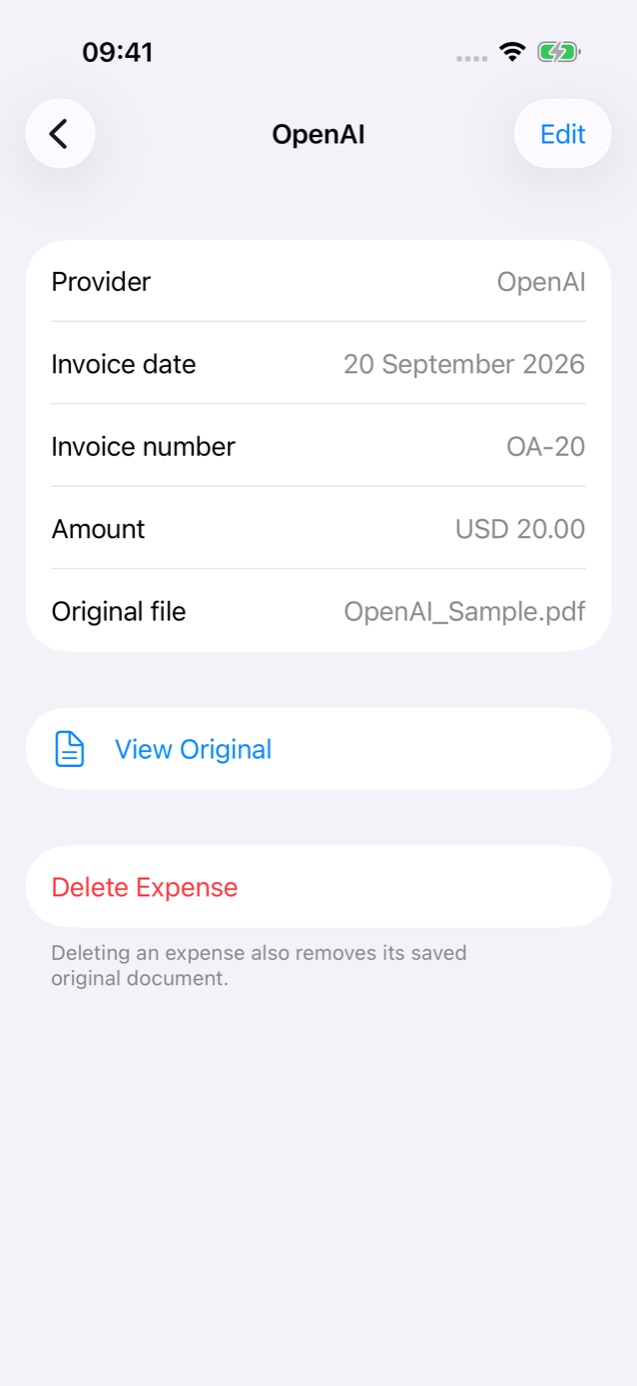
KEEP THE ORIGINAL
Save PDFs and images from Files or the share sheet. Open the original whenever you need to check an invoice number or amount.
LESS RE-TYPING
AI reads the provider, date, amount and currency. Review uncertain results and correct them before they enter your totals.
SEE THE MONTH
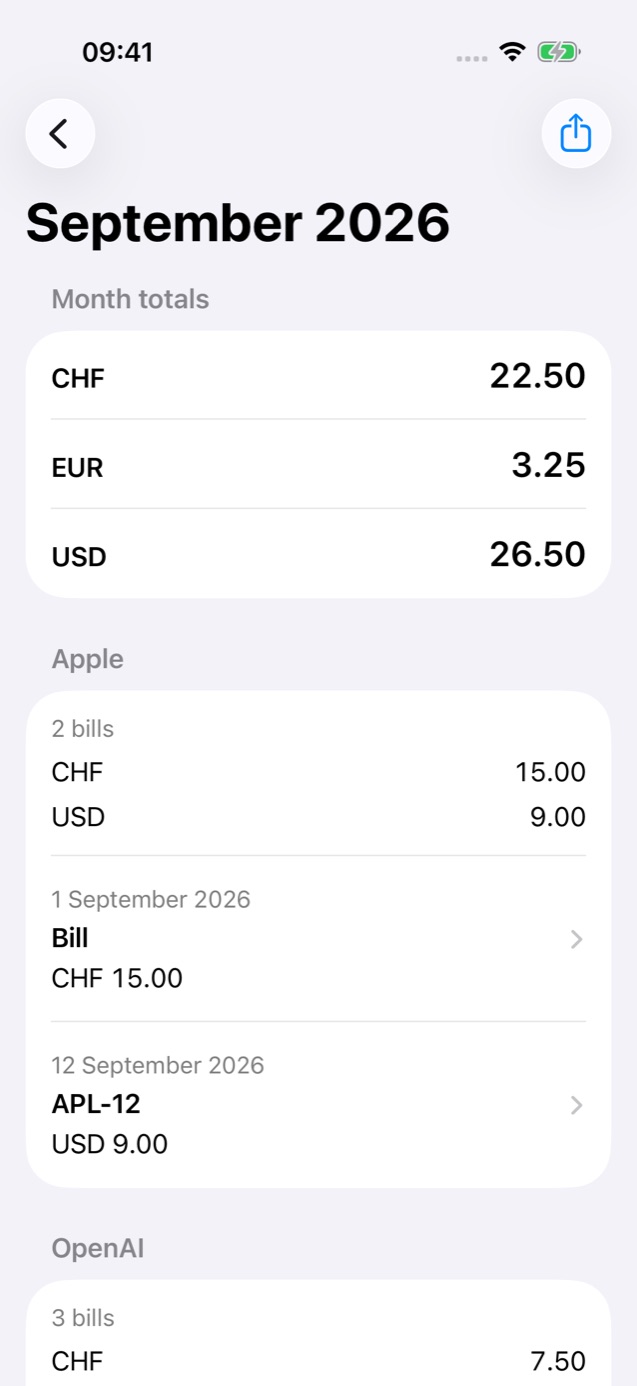
Browse completed expenses by month and provider. Keep each currency separate, with individual bills behind every subtotal.
A CLOSER LOOK
Real screens from the current preview.
Every amount here is sample data.


A SMALL ROUTINE
An invoice organizer for the documents you already receive. No bank connection needed.
Import a PDF, JPEG or PNG from Files, or share a document to BillTuck. Have a folder of invoices? Import a supported ZIP archive.
Keep BillTuck open while it processes the import. Review extracted details, resolve possible duplicates, and confirm anything missing.
Choose a month, year or current-year period. Preview the PDF summary and share it with the person or app you choose.
Your library is stored on your iPhone. Automatic extraction sends the original documents through AIProxy to OpenAI. You can delete your local bills in Settings.
Read the full privacy policy →THE PAPERWORK GUIDE
Organize PDF bills on iPhone by month and provider. Keep originals, review extracted details, and turn completed bills into expense reports.
Read the guide
Save a bill attachment from Mail to Files, import it into BillTuck, and check the original PDF alongside its extracted expense details.
Read the guide
Import PDF, JPEG, and PNG invoices from an unencrypted ZIP on iPhone. Check the batch summary, review bill details, and handle skipped files.
Read the guide
Create a monthly PDF expense report from completed bills on iPhone. Check missing dates, provider totals, currencies, and the PDF before sharing.
Read the guide
Compare original files, invoice numbers, dates, amounts, and currencies to review possible duplicate bills before they affect your expense totals.
Read the guide
Keep each bill in its original currency and review separate monthly totals. Learn how to check currency codes and export multi-currency reports.
Read the guideA FEW GOOD QUESTIONS
BillTuck saves original bill PDFs and images, extracts their details, and groups completed expenses by month and provider. You can review each bill and open its original document from the same record.
Learn moreYes. Share a PDF attachment to BillTuck from an app that offers the iOS share sheet, or save it in Files and import it there. BillTuck keeps a copy of the original document.
Learn moreFiles import accepts unencrypted ZIP archives containing PDFs, JPEGs and PNGs, including documents in nested folders. Each admitted document counts as a separate import, and the summary identifies skipped or failed items.
Learn moreReview unfinished bills, choose the month, and preview the PDF export. The report includes completed expenses with totals separated by currency, provider summaries and individual bill details.
Learn moreBillTuck checks for exact file matches before AI processing and flags probable matches using bill details. You review possible duplicates; the app does not promise to identify every repeated bill.
Learn moreYes. Each bill retains its currency, and totals remain separate for CHF, EUR, USD and other supported currencies. BillTuck does not convert amounts using exchange rates.
Learn moreYour saved library stays on your device, but automatic extraction sends imported documents through AIProxy to OpenAI. Reviewing saved details and generating expense totals happen locally; the privacy policy explains provider processing and retention.
Learn moreBillTuck is in development for iPhone with iOS 26 or later. The current preview includes three free document imports, with an optional Pro unlock planned for more imports; the release date and public price have not been announced.
Learn more